# Custom Sidebar Position

{% hint style="info" %}
This feature is available on Beefree SDK [paid plans](https://developers.beefree.io/pricing-plans) only.
{% endhint %}

## Overview <a href="#overview" id="overview"></a>

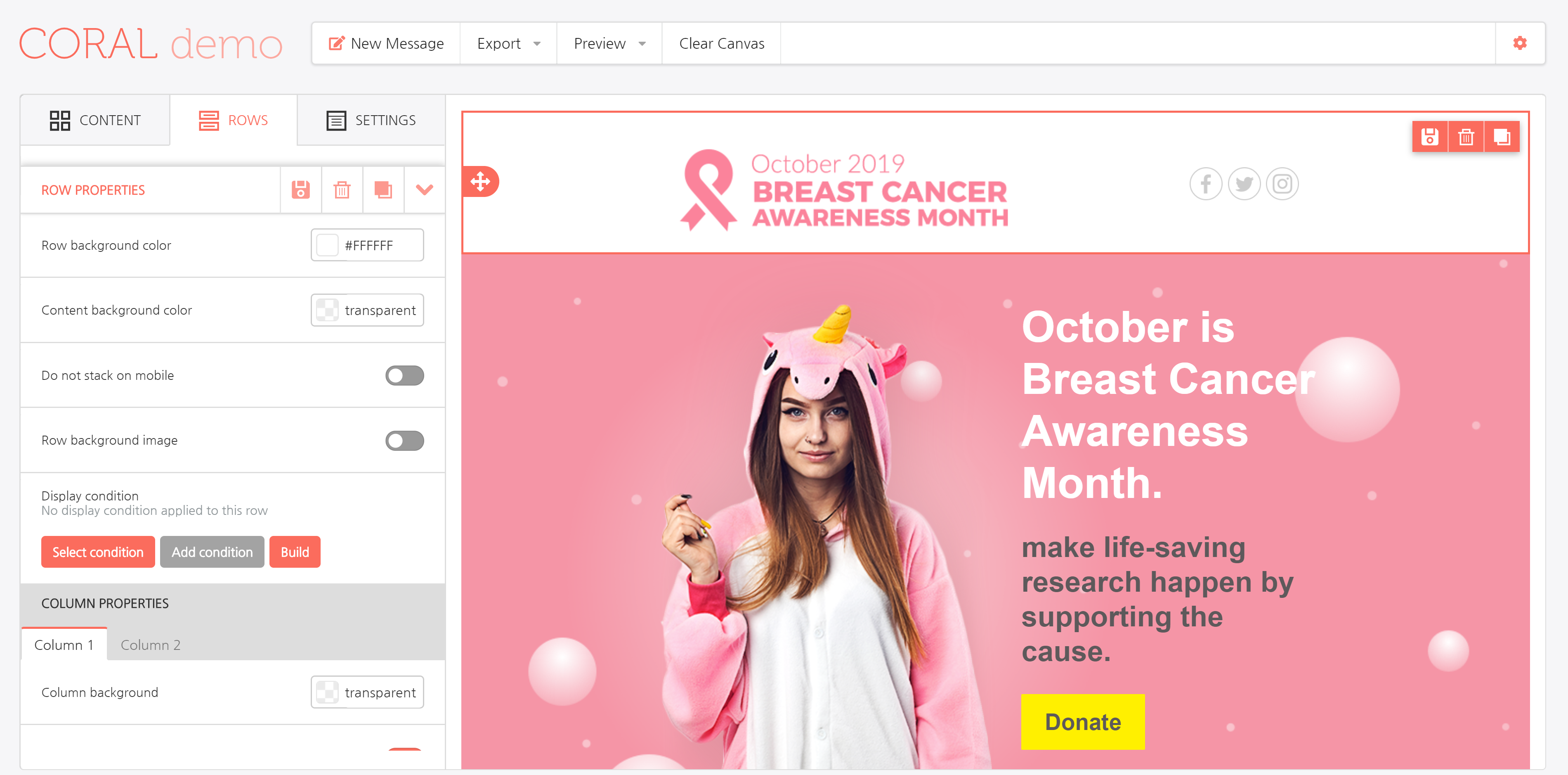
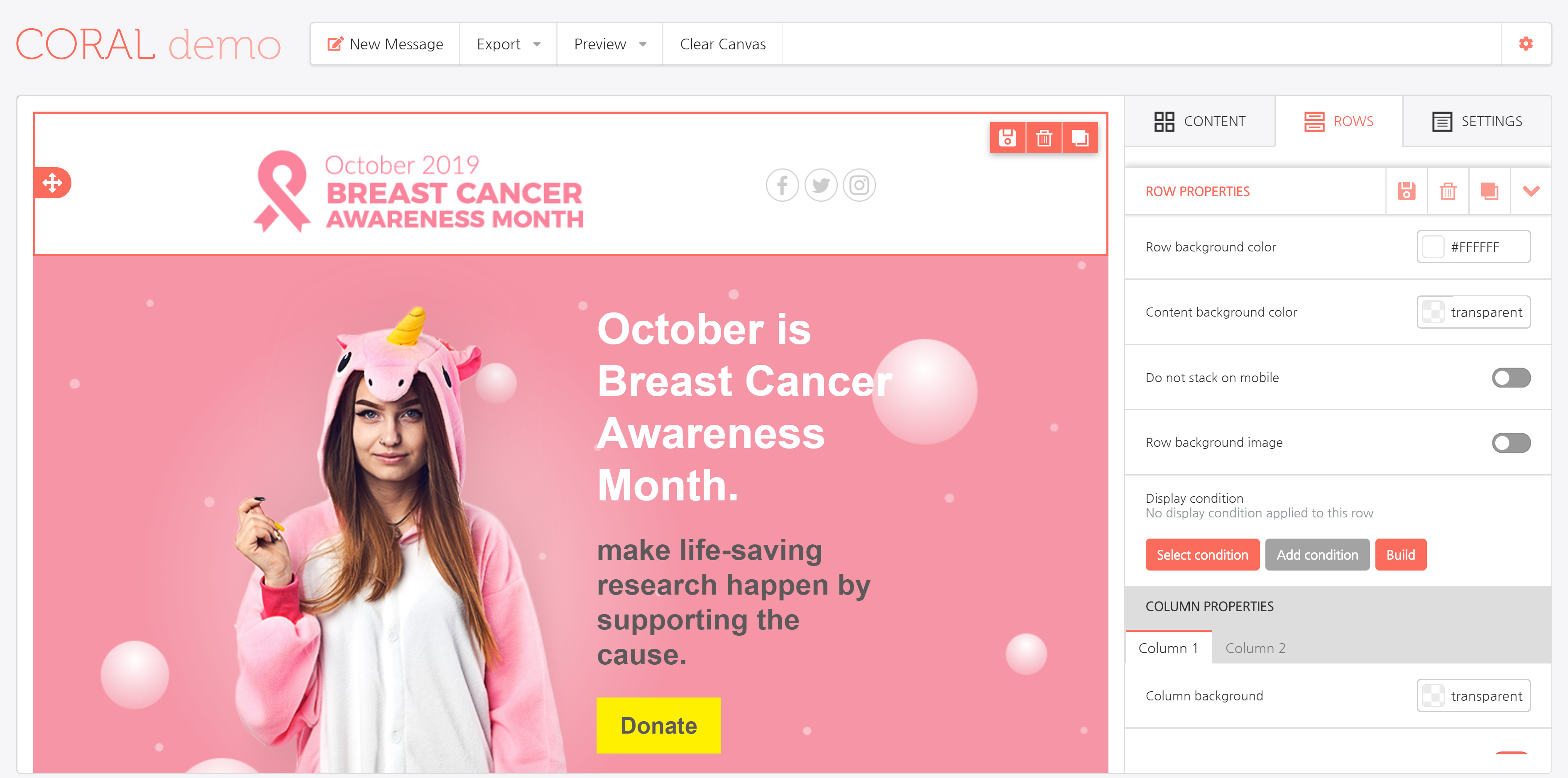
You can choose whether to display the builder sidebar on the left or on the right side of the screen.

Available positions:

* left
* right

Here is the same sample application, with the same template and same content element selected, and the sidebar displayed on the left…

<figure><img src="https://806400411-files.gitbook.io/~/files/v0/b/gitbook-x-prod.appspot.com/o/spaces%2F8c7XIQHfAtM23Dp3ozIC%2Fuploads%2FvYSwNHZ5A4ZDMneAzuwa%2FBEE-v3-sidebar-position-left.png?alt=media&#x26;token=60757861-428e-4008-9e40-3bf216d91f84" alt=""><figcaption></figcaption></figure>

… and on the right.

<figure><img src="https://806400411-files.gitbook.io/~/files/v0/b/gitbook-x-prod.appspot.com/o/spaces%2F8c7XIQHfAtM23Dp3ozIC%2Fuploads%2FMIvOTVS6uE1wD4IZij1K%2F2BEE-v3-sidebar-position-right.png?alt=media&#x26;token=495a3f33-5c91-49dc-a952-3214dd77edb7" alt=""><figcaption></figcaption></figure>

The configuration document needs the following, new parameter:

```javascript

var beeConfig = {
        uid: config.uid,
        sidebarPosition: 'right',
        ...  

```